Lagos Life Login: Sign In or Sign Up
The Lagos Life login is on lagoslife.app: choose Log in to sign in with your existing username or email and password. New to the game? Choose Sign up for registration. Below are the account steps, a real login screenshot and the options to use when you cannot get in.
The button opens lagoslife.app; select Log in there. This independent guide explains the screens. Account details are entered on the official game site.
Lagos Life login and registration: choose your next step
Use Log in to return to an account you already have. Registration is the route for a new player. If your existing account details are forgotten or rejected, use the recovery options before deciding to start again.
| Your situation | Where to go |
|---|---|
| Returning player | Choose Log in and enter your existing username or linked email and password. |
| First time playing | Choose Sign up or Create account, then follow the registration fields. |
| Forgotten password | Open Forgot password? from the login screen and follow its account-owner checks. |
| Recovery cannot help | Open Can't get in? to ask the team or check a ticket you already have. |
For example, if you played earlier and now see Create account, switch to Log in rather than filling out the new-player form. If you no longer know the password, registration is not an account-recovery step; use the help controls linked below.
Lagos Life login: sign in to your existing account
The official game has Log in buttons in the header and below the public city map. Both open the account screen. If Create account is open, switch to its Log in tab.
Open the official game
Visit lagoslife.app, then select Log in. The button above opens the game; choose the login option there.
Enter your username or email
Use your existing account's username, or the email you added to that account. The login field accepts either. Your display name and username are separate registration fields.
Enter your password
Use Show password to check a typing mistake, then select the form's Log in button. Keep the password hidden on a shared screen.
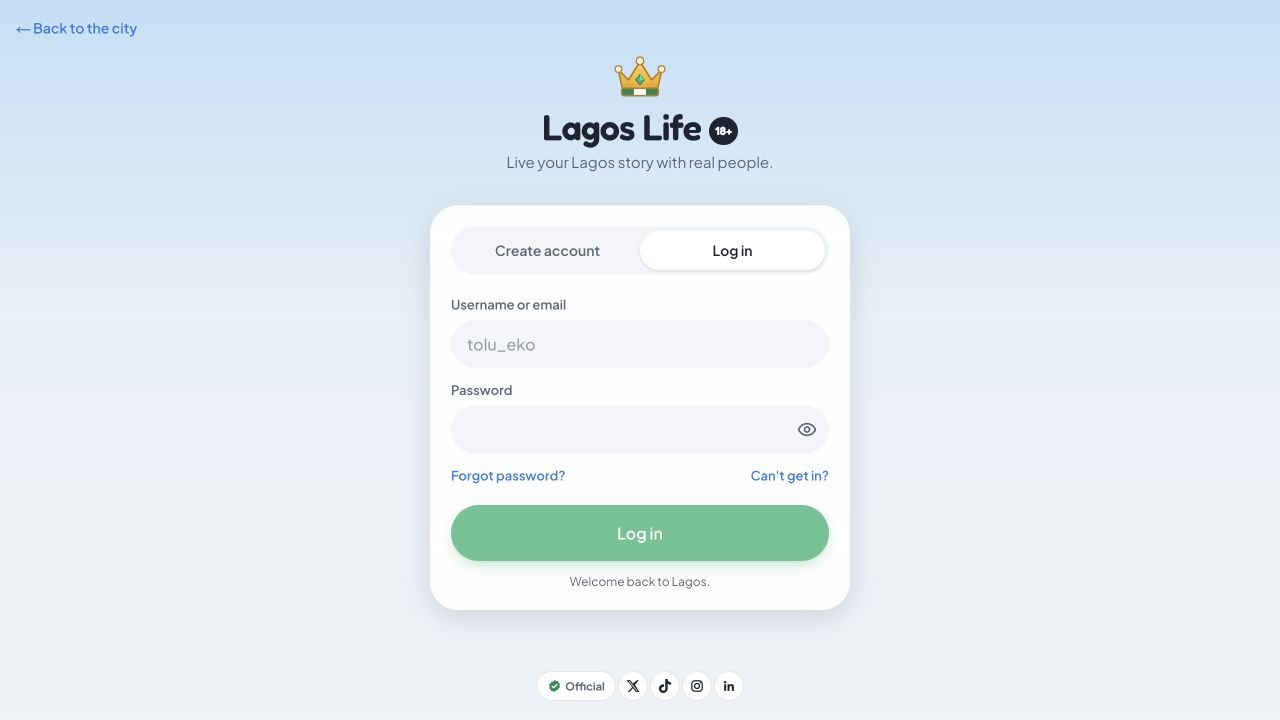
Use the same account when you return on another device. If you cannot remember its details, try password recovery instead of creating a new account to recover your old character.
Lagos Life game sign up: registration steps
Open the official game and select Sign up in the header or Sign up free below the map. The account screen calls this tab Create account.
| Field | What to enter or check |
|---|---|
| Your name | The name field at the top of the form. |
| Username | Your chosen username; the hint describes it as your Sim's name. |
| Password | At least eight characters, as required by the form's hint. |
| Optional. The form says you can also use it to log in. | |
| Date of birth | Separate Day, Month and Year menus. |
| Agreement | An 18+ confirmation linked to the Terms, Privacy Policy and Disclaimer. |
Read the linked policies before deciding whether to agree, then use Sign up · it's free when ready. The official eligibility rules require players to be at least 18.
For a registration error, read the message beside the affected field. Check the password length, all three date-of-birth menus and the agreement choice. If a taken username is your own, switch to Log in. We inspected the form without submitting it; follow the game for later setup steps.
Forgot your Lagos Life password?
Select Forgot password? on the official login screen. At our check, it opened a form asking for your username or email and showed a Next button. The screen says it will ask questions the account owner can answer.
Enter your own account details and follow the instructions. We inspected the first recovery screen without submitting an identifier, answering ownership questions or resetting a password.
Use Can't get in? for more help
The login screen also has a Can't get in? button with Ask the team and Check a ticket options. Its help form asks for your username or email, optional details that help identify the account, and an optional way to reach you.
The screen says it provides a ticket code you can check there without signing in or using an X account. Keep that code private. It also says the team does not ask for your password or money. We inspected these controls without sending a ticket.
What to check when Lagos Life login is not working
Start with the message on the official screen. Rejected account details need a different check from a page that has not loaded. These are troubleshooting suggestions, not a diagnosis of the game's service.
| Problem | Next step |
|---|---|
| Create account appears | Switch to the Log in tab for an existing account. |
| Details are rejected | Check the username or linked email, accidental spaces and password capitalisation. Use Show password to inspect typing. |
| Password is forgotten | Use Forgot password? on the official login screen. |
| Recovery cannot help | Use Can't get in? to ask the team. Keep the ticket code for Check a ticket. |
| The game stays blank | Check your connection and reload once. Try a current browser or another connection to see whether the problem is local. |
If the problem continues, use the official help screen or the contact in the game's Terms. Describe the error and when it happened. Keep passwords and ticket codes out of public posts.
Login, sign in and sign up questions
Where is the official Lagos Life login page?
Open lagoslife.app and select Log in. At the recorded check, the account screen opened within that site; this guide links to the verified game address.
Is Lagos Life game sign in the same as login?
Yes. Sign in and log in both mean entering an existing account. The official game's button says Log in. Sign up and registration are the options for creating a new account.
Can I log in with an email instead of a username?
Yes, the field is labelled Username or email. Use an email added to your account. Email is optional on the registration form we inspected.
Is Lagos Life registration free?
The official form labels its signup button Sign up · it's free. Read the game for any optional purchases after entering.
Can I browse the map without signing in?
The public city map was visible during our signed-out visit. Seeing it does not confirm that you are logged in to a character.
Do I need an app to sign in?
The login and registration screens we checked run in a web browser. Open the official game on your phone or computer to reach them. The Lagos Life app guide covers phone access and home-screen shortcuts.
Can this guide recover my account?
Account recovery is handled by the official game. Use its Forgot password? or Can't get in? controls for help with your own account.
Sources and checks
- Official Lagos Life game — public map, Log in, Create account, the first Forgot password? screen and the Can't get in? help screen inspected on 13 October 2026.
- Official Terms of Use — eligibility, account responsibilities and support contact reviewed on the same date.
The screenshot is a real capture of the public login screen. No credentials were entered, account created, password reset or support ticket submitted. Screens and requirements may change.